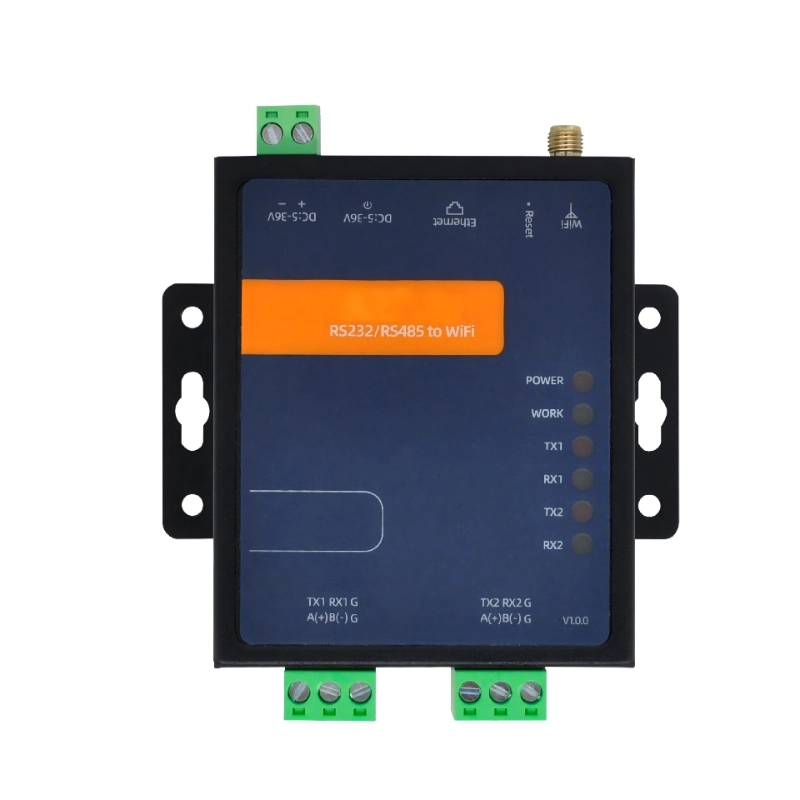
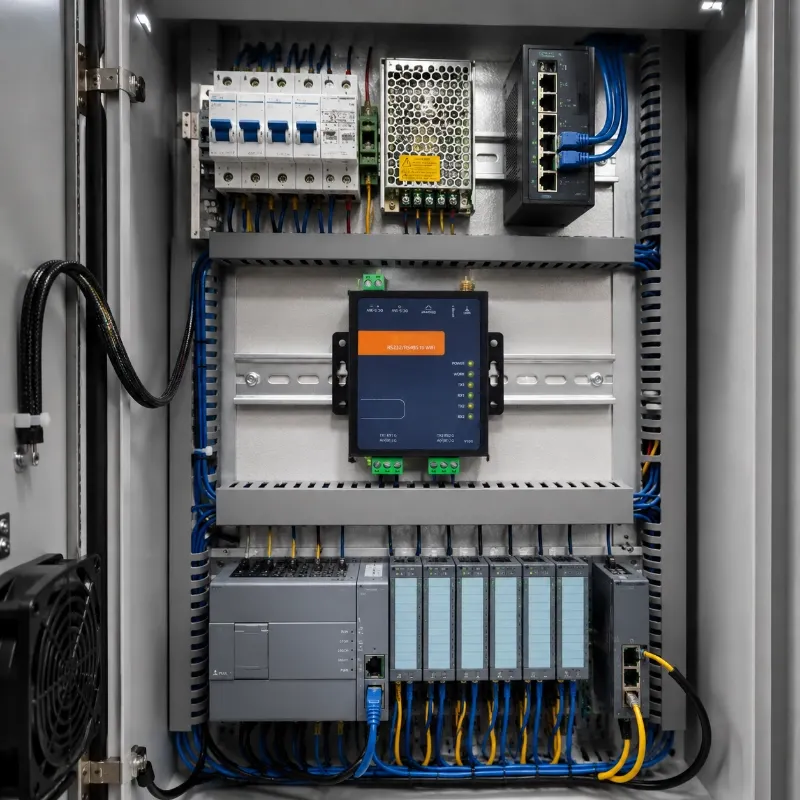
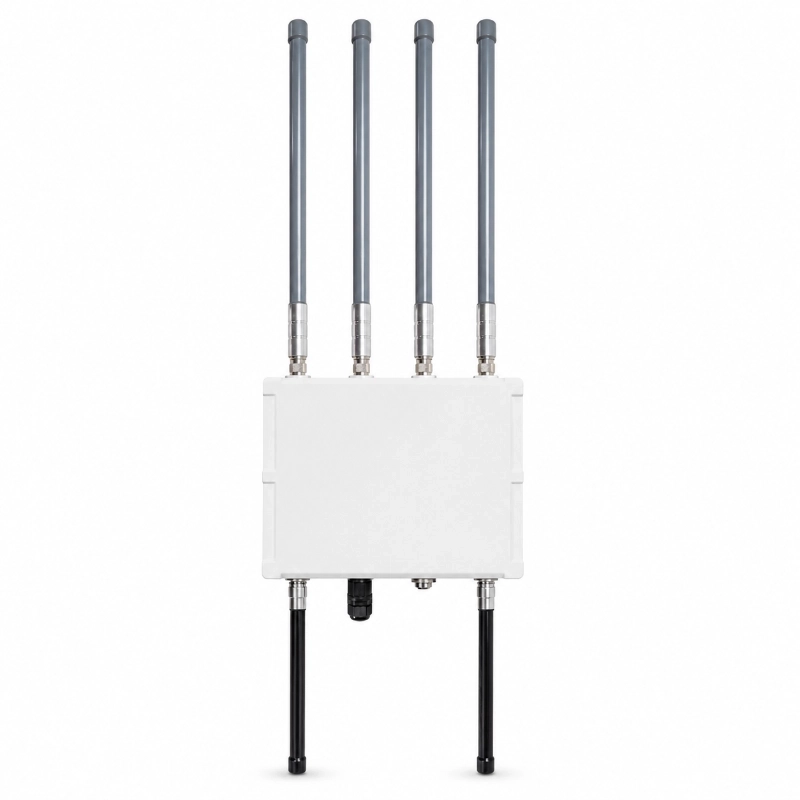
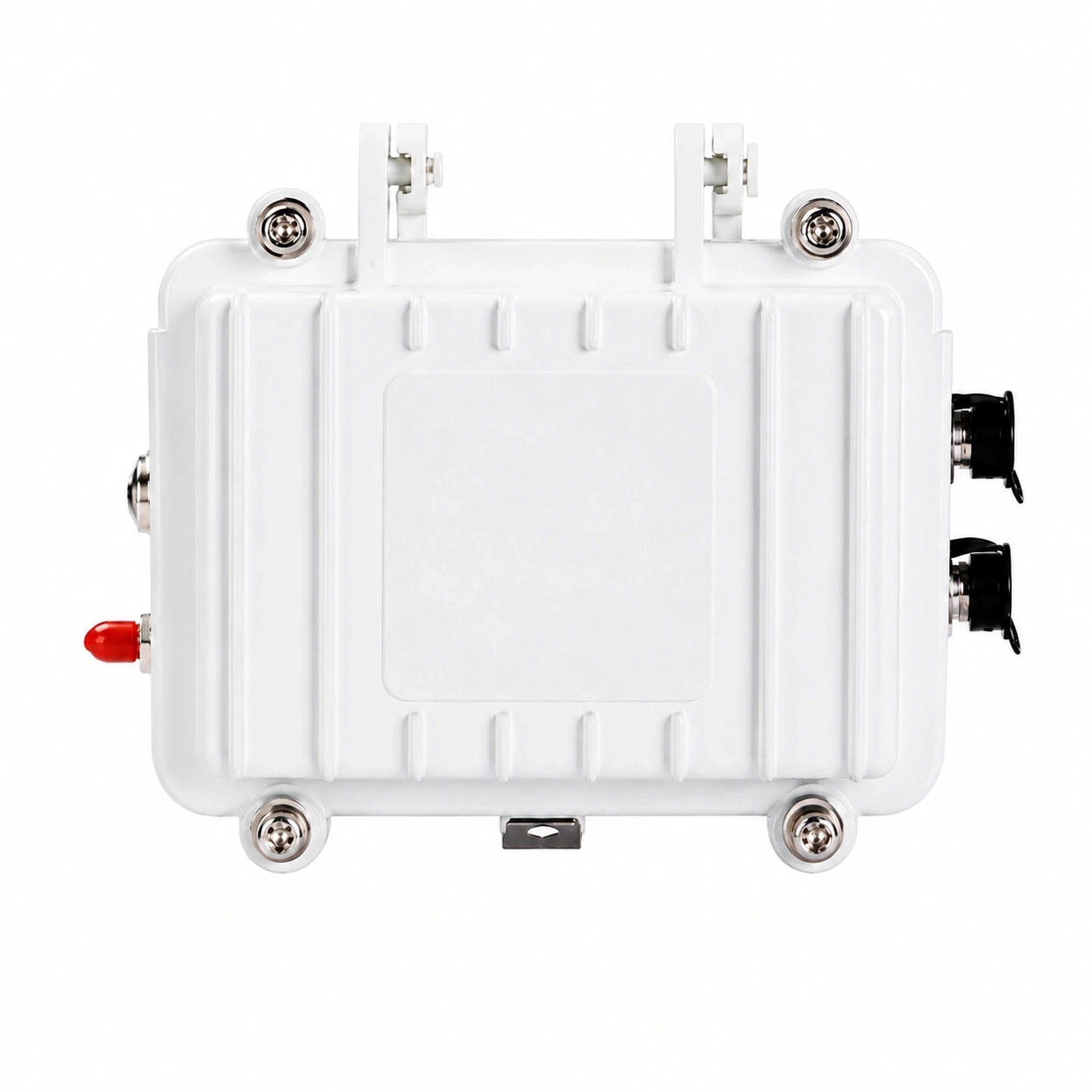
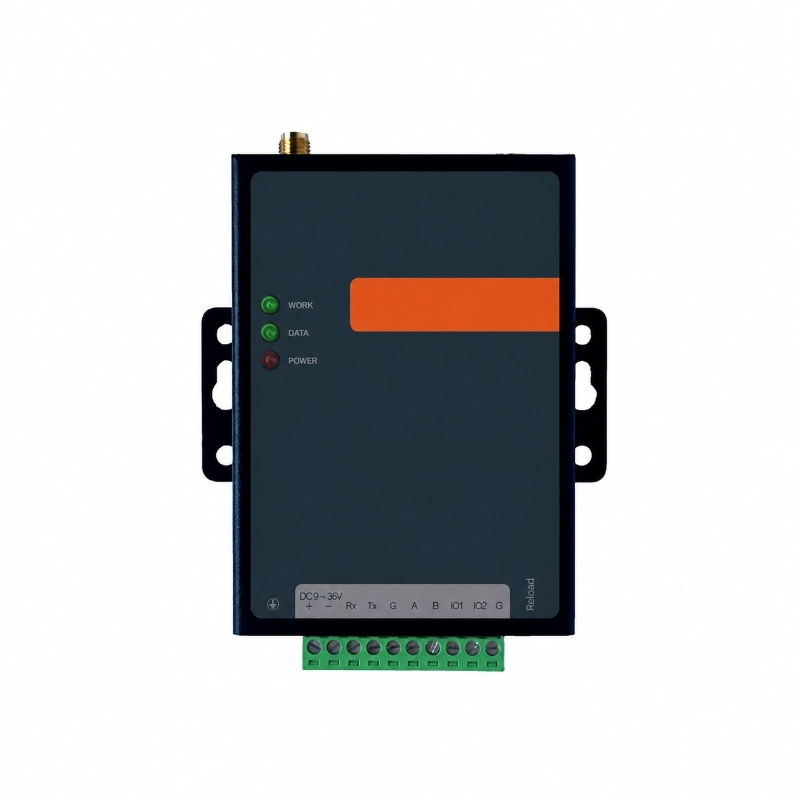
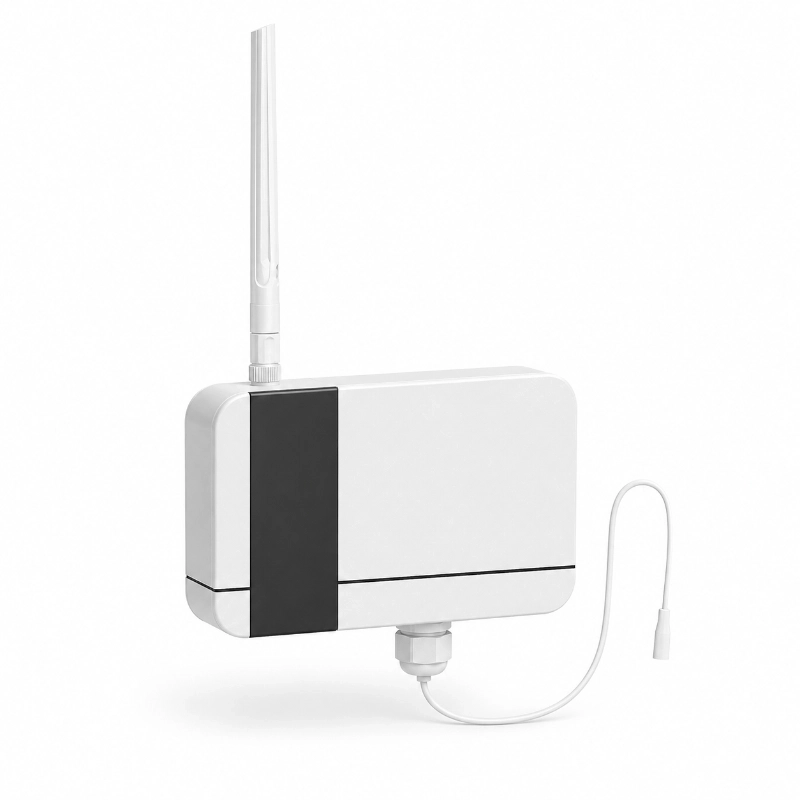
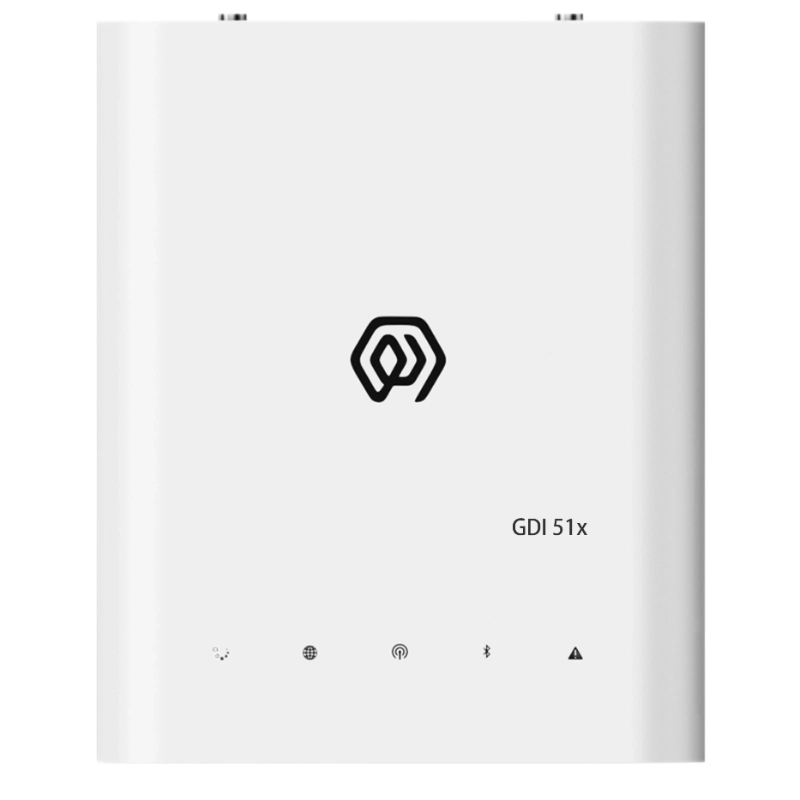
The JW-W502 WiFi Serial Device Server connects RS232 and RS485 equipment to Ethernet or 2.4 GHz WiFi networks. It enables industrial meters, PLCs, controllers, sensors and other serial devices to exchange data with local servers, computers, SCADA systems and IoT platforms.
The device supports TCP Client, TCP Server, UDP Client, UDP Server, HTTP and MQTT communication. It also provides Modbus TCP/RTU protocol conversion, allowing existing Modbus RTU equipment to communicate with Ethernet-based monitoring and control systems without replacing the field device.
With Ethernet and WiFi connectivity, a 5–36 VDC power input, dual watchdog protection and an operating temperature range of -40°C to +85°C, the JW-W502 is suitable for industrial automation, smart metering, environmental monitoring, agriculture, transportation, utility monitoring and building control applications.
What Is a WiFi Serial Device Server?
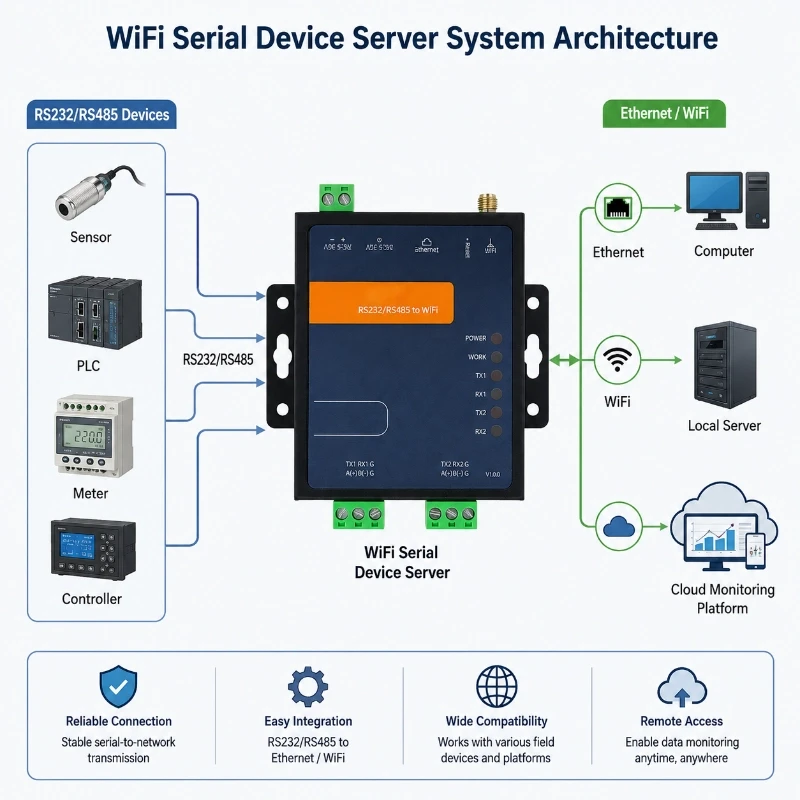
A WiFi serial device server is an industrial communication device that converts serial data from RS232 or RS485 equipment into network data.
Many field instruments continue to use RS232, RS485 or Modbus RTU communication. However, modern monitoring platforms, computers and control systems generally communicate through Ethernet, WiFi, TCP/IP, HTTP or MQTT.
The JW-W502 creates a communication bridge between these two environments:
RS232 or RS485 device → JW-W502 serial server → Ethernet or WiFi → local server, SCADA system or cloud platform
This allows existing serial equipment to be integrated into a networked system without changing the original instrument or controller.
RS232 and RS485 Connectivity
The JW-W502 series supports configurable serial-port combinations for different field devices.
Available configurations may include:
RS232 and RS485
Dual RS485
Dual RS232
RS232 is commonly used for short-distance point-to-point communication between equipment. RS485 is more suitable for industrial environments requiring longer cable distances, improved interference resistance or multi-device communication.
Before ordering, confirm the required serial interfaces, connector type and number of ports. JW-IoT can help select the appropriate W502 configuration according to the connected equipment.
Ethernet and WiFi Network Options
The device supports both wired Ethernet and 2.4 GHz WiFi communication.
Ethernet Connection
The 10/100 Mbps adaptive RJ45 Ethernet interface is suitable for control cabinets, factories, equipment rooms and fixed monitoring systems where a wired network is available.
Ethernet can provide:
Stable local-area network communication
Low transmission latency
Reliable control-cabinet integration
Easy connection to computers, switches and local servers
The average Ethernet PING delay can be below 1 ms under suitable network conditions.
WiFi Connection
WiFi communication is suitable for projects where network cabling is inconvenient but a local wireless network is available.
The device supports:
AP mode
STA mode
AP+STA mode
WPA-PSK
WPA2-PSK
WPA3-PSK
In STA mode, the serial device server connects to an existing WiFi router. In AP mode, a computer or mobile terminal can connect directly to the device for configuration or local communication.
Supported Communication Modes
The JW-W502 supports multiple communication modes for integration with industrial software, servers and IoT platforms.
TCP Client
The device actively connects to a specified TCP server. This mode is commonly used when serial equipment must upload data to a central monitoring platform.
TCP Server
The device listens for incoming TCP client connections. This mode is suitable when a computer, SCADA system or local application needs to connect directly to the serial device server.
UDP Client and UDP Server
UDP communication can be used for applications that require fast, lightweight data transmission without continuous connection management.
MQTT
MQTT support allows serial data to be transmitted to an MQTT broker for IoT platform integration, remote monitoring and multi-device data management.
HTTP Client
HTTP Client mode can be used to upload serial data to compatible web servers, APIs or application platforms.
Modbus TCP/RTU Gateway Function
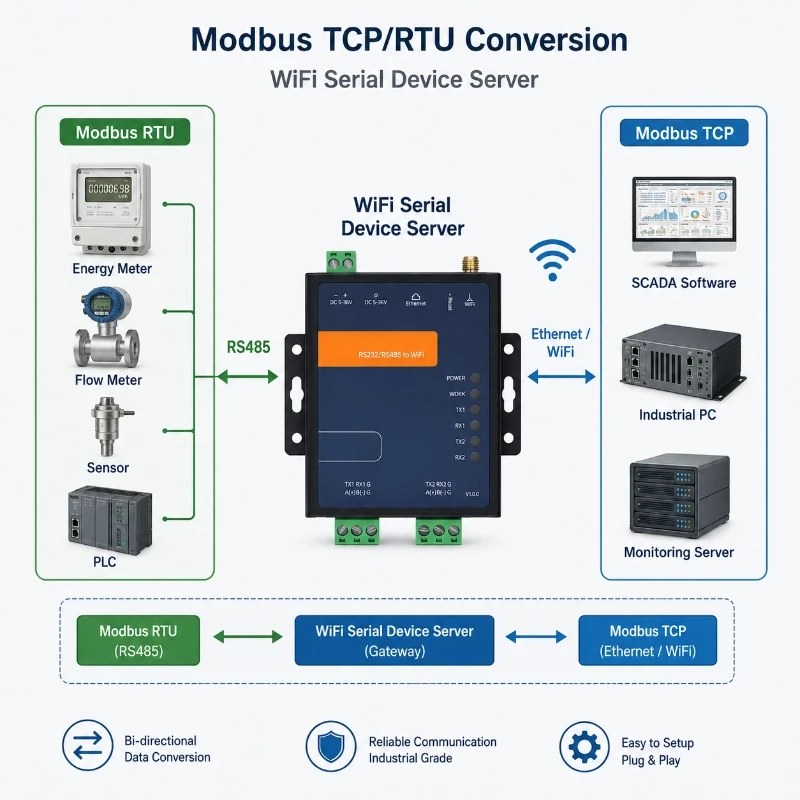
Many industrial meters, sensors, controllers and PLCs communicate through Modbus RTU over RS485. Network-based systems may use Modbus TCP over Ethernet.
The JW-W502 supports Modbus TCP/RTU conversion, allowing a Modbus TCP client to communicate with a Modbus RTU field device.
A typical data path is:
Modbus RTU meter → RS485 → JW-W502 → Ethernet or WiFi → Modbus TCP client
This function can be used for:
Energy meters
Water meters
Flow meters
Pressure transmitters
Temperature and humidity transmitters
PLCs
Variable-frequency drives
Environmental sensors
Industrial controllers
The serial parameters, Modbus address, network IP and port must be configured correctly before communication.
How the WiFi Serial Device Server Fits into an IoT System
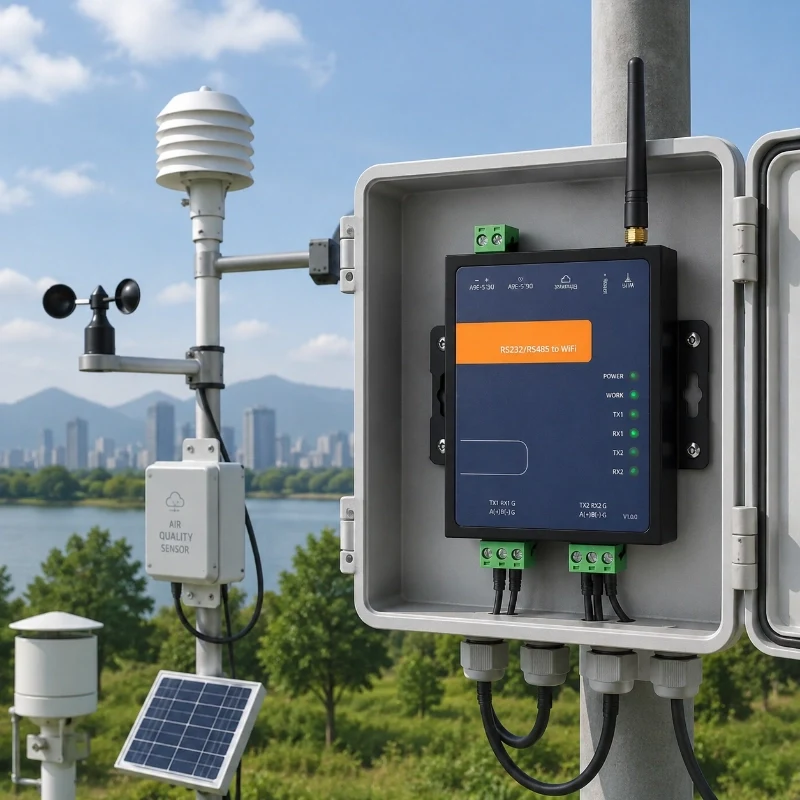
Many industrial and environmental sensors still use RS485 Modbus RTU or RS232 because serial communication is stable, widely supported, and easy to integrate with field equipment.
However, remote monitoring platforms normally require Ethernet, WiFi, TCP/IP, MQTT, or other network-based communication.
A WiFi serial device server provides the communication bridge between these two layers:
RS485 / RS232 Device → WiFi Serial Device Server → Ethernet / WiFi Network → MQTT / TCP / HTTP → Cloud Platform or Monitoring Software
This architecture allows existing serial devices to remain in service while adding remote data transmission and IoT connectivity.
Typical connected devices may include:
Weather and environmental sensors
Water quality sensors
Soil monitoring sensors
Smart meters
PLCs and industrial controllers
Data acquisition instruments
Hydrological monitoring equipment
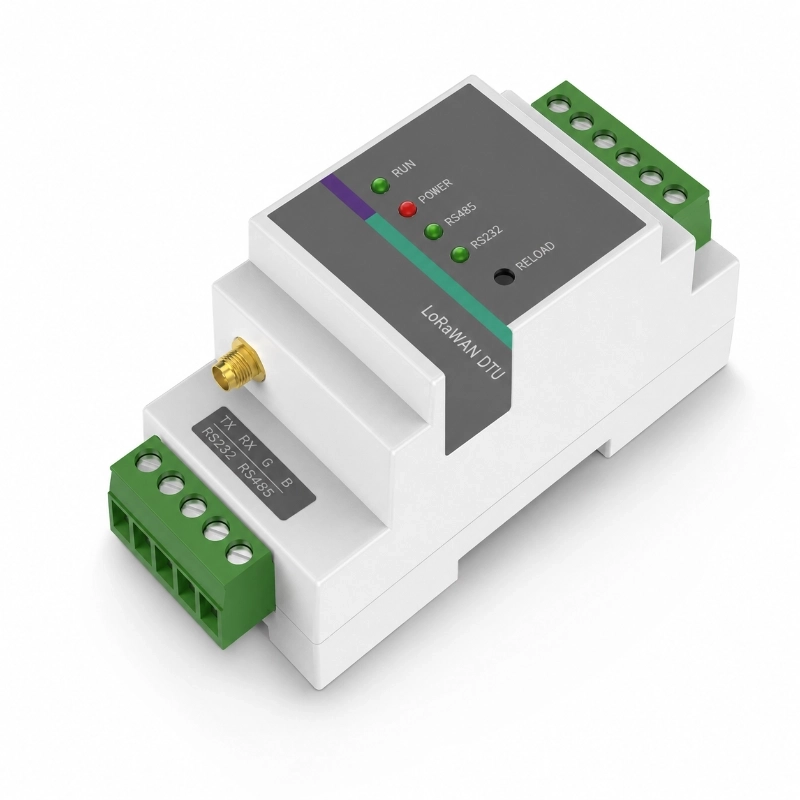
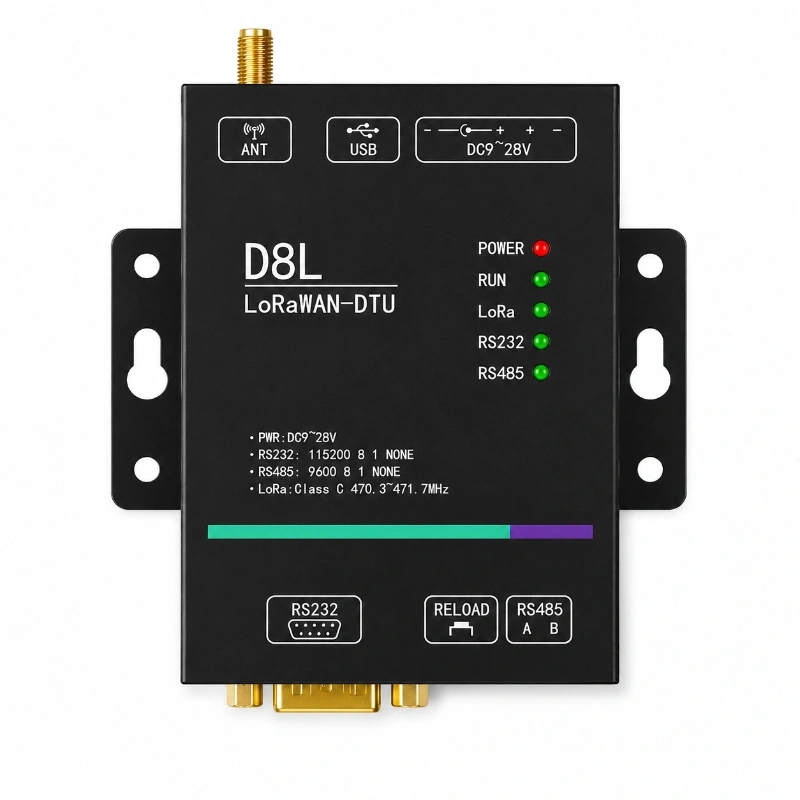
For projects requiring long-range wireless transmission rather than local WiFi coverage, JW-IoT also provides an Industrial LoRaWAN DTU with RS232 and RS485 interfaces for connecting field devices to LoRaWAN networks.
JW-IoT supports complete IoT architectures covering sensors, communication devices, gateways, cloud platforms, and system integration. Learn more about our IoT system integration services.
Product Specifications
Item
Specification
Product Type
WiFi Serial Device Server
Model
JW-W502
Serial Options
RS232 RS485
Network Interface
RJ45 10 100M adaptive Ethernet
WiFi Standard
802.11 B G N at 2.4GHz
WiFi Mode
AP STA APSTA
WiFi Rate
150Mbps
WiFi Transmit Power
20.5dBm Max
WiFi Security
WPA PSK WPA2 PSK WPA3 PSK
MCU
Dual core 240MHz high performance MCU
Power Input
5 to 36V
Power Interface
DC socket or 5.08mm 2P terminal
Power Current
55mA at 12V
Serial Baud Rate
2400 to 460800bps
Default Baud Rate
115200bps
Parity
NONE ODD EVEN
Data Bits
7 or 8
Stop Bits
1 or 2
Network Protocols
DHCP DNS TCP UDP HTTP ICMP MQTT
Transparent Protocols
TCP Client Server UDP Client Server MQTT HTTP
Modbus Conversion
Modbus TCP RTU supported
Web Configuration
Built in web page
AT Commands
Serial AT and network AT
Firmware Upgrade
Serial upgrade web upgrade network upgrade
Operating Temperature
-40°C to 85°C
Operating Humidity
5% to 95%
Dimensions
84 x 70 x 25 mm excluding side ears and terminals
Specifications and available interfaces may vary according to the selected product version. Confirm the required configuration before placing an order.
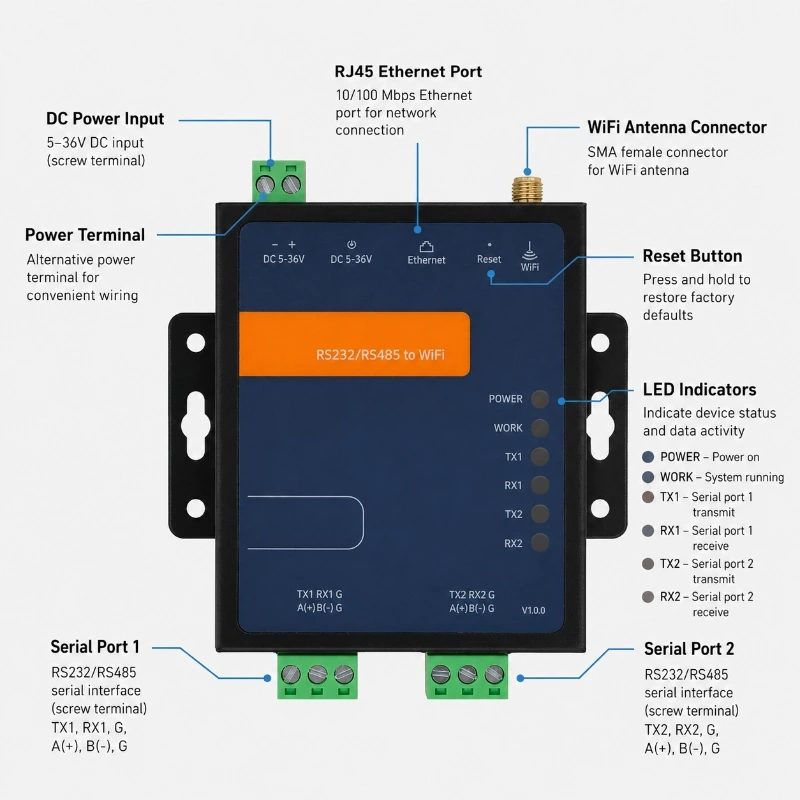
Interface Description
Interface
Description
RJ45 Ethernet
10 100Mbps adaptive network connection
WiFi Antenna
2.4GHz wireless communication
DC Power Interface
5 to 36V power input
5.08mm Terminal
Alternative power input
DB9 Serial Port
RS232 or RS485 depending on model
3P Terminal
RS232 or RS485 depending on model
Reload Button
Restore default parameters after long press
LED Indicators
Power work TX RX status indication
How to Configure the JW-W502
1. Confirm the Serial Parameters
Check the connected serial device and record:
Interface type: RS232 or RS485
Baud rate
Data bits
Stop bits
Parity
Modbus address, when applicable
The serial parameters of the W502 must match the connected device.
2. Select Ethernet or WiFi
Use Ethernet when stable wired communication is available. Use WiFi when cabling is difficult and the project site has reliable 2.4 GHz wireless coverage.
3. Select the Network Mode
Choose TCP Client, TCP Server, UDP Client, UDP Server, MQTT or HTTP according to the receiving server or monitoring platform.
4. Configure the IP Address and Port
Enter the destination server address, communication port and local network parameters. Confirm that the router, firewall and server allow communication through the selected port.
5. Enable Modbus Conversion if Required
For Modbus TCP-to-Modbus RTU communication, enable the Modbus conversion function and verify the RS485 wiring, serial parameters and slave address.
6. Test Data Transmission
Send test data from the serial device and confirm that the server or monitoring platform receives the correct message.
Connecting RS485 Sensors to WiFi and Cloud Platforms
One common application of a WiFi serial device server is connecting RS485 Modbus sensors to an IP-based monitoring network.
A typical deployment can use the following architecture:
RS485 Sensor → W502 WiFi Serial Device Server → WiFi Router / Ethernet → Internet → MQTT / TCP Server → Monitoring Platform
The sensor continues communicating through Modbus RTU, while the serial device server converts and forwards the data through the network.
This approach can be useful when an existing monitoring device has an RS485 interface but the project requires remote access through a LAN, WiFi network, or cloud platform.
Environmental Monitoring
Many environmental monitoring instruments use RS485 Modbus RTU output. For example, JW-IoT online conductivity sensors can use RS485 Modbus RTU for integration with data loggers, PLCs, controllers, and remote monitoring systems.
Integrated weather monitoring devices can also use RS485 communication. The JW-IoT seven-parameter weather station provides RS485 Modbus RTU output for connection with RTUs, PLCs, IoT gateways, and cloud-connected systems.
Agricultural Monitoring
RS485 is also widely used for soil and irrigation monitoring. A multi-layer soil moisture and temperature sensor can connect with an RS485 data logger, RTU, PLC, or IoT gateway for centralized agricultural monitoring.
Scientific and Profile Monitoring
For environmental research and multi-depth monitoring, the JW-IoT digital temperature sensor string supports RS485 Modbus RTU and can connect with gateways, RTUs, PLCs, and remote monitoring systems.
These examples show how a serial device server can act as part of a broader sensor-to-network architecture rather than functioning only as a standalone serial converter.
Application Scenarios
Industrial Automation
Connect PLCs, variable-frequency drives, controllers, industrial meters and production equipment to Ethernet or WiFi networks. The device can support data acquisition, equipment status monitoring and remote communication within a factory network.
Learn more about JW-IoT industrial connectivity applications: https://www.jw-iot.com/category/solutions/industrial-iot-monitoring/
Smart Metering
The device can connect RS485 or RS232 water meters, electricity meters, gas meters, heat meters, flow meters and pressure instruments to a local or remote data system.
Connect serial weather sensors, air-quality sensors, water-quality instruments, water-level sensors, rain gauges and environmental data acquisition devices to a monitoring platform.
The W502 is suitable for environmental monitoring stations located within factories, campuses, laboratories, buildings and other sites with Ethernet or WiFi coverage.
Explore smart water and environmental monitoring solutions: https://www.jw-iot.com/category/solutions/smart-water-environmental-monitoring/
Smart Agriculture and Greenhouse Monitoring
The WiFi serial device server can connect soil sensors, greenhouse controllers, irrigation controllers, weather sensors and other agricultural equipment to a local monitoring network.
It is suitable for greenhouses, indoor farms, nurseries and agricultural facilities with stable WiFi or Ethernet coverage.
Use the device to connect access-control systems, fire alarm equipment, HVAC controllers, energy meters and other serial building devices to an Ethernet or WiFi network.
Traffic and Utility Monitoring
The product can support serial communication for traffic equipment, power-distribution monitoring, pump stations, utility systems and control-cabinet applications.
WiFi vs LoRaWAN vs 4G for RS485 Device Connectivity
The best communication method for an RS485 device depends on installation distance, network availability, power supply, data volume, and project architecture.
Communication Method
Typical Use
Main Consideration
WiFi / Ethernet
Factories, buildings, greenhouses, laboratories, local monitoring networks
Existing LAN or WiFi coverage is normally required
Suitable for long-range, low-data-rate and multi-point deployments
4G LTE
Remote standalone monitoring stations
Useful where cellular coverage is available but no local network exists
RS485 Wired Network
Local multi-device field communication
Stable communication but requires physical cabling
The W502 WiFi Serial Device Server is suitable when RS232 or RS485 field devices need to connect to an existing Ethernet or WiFi network.
For distributed monitoring sites requiring long-range wireless communication, an Industrial LoRaWAN DTU can convert RS232 or RS485 field equipment into LoRaWAN-connected devices.
For low-power outdoor applications, project designers may also consider RS485-to-LoRaWAN communication architectures depending on power availability, transmission interval, communication distance, and gateway coverage.
The communication method should therefore be selected according to the complete monitoring architecture rather than the sensor interface alone.
Installation Recommendations
Install the device inside a protected control cabinet.
Use a stable 5–36 VDC power supply.
Confirm the polarity before connecting power.
Keep communication cables separated from high-voltage power cables.
Use shielded twisted-pair cable for RS485 in electrically noisy environments.
Connect the RS485 A and B terminals correctly.
Add termination resistance when required by the RS485 network design.
Position the WiFi antenna away from large metal obstructions.
Confirm adequate 2.4 GHz WiFi signal strength at the installation point.
Protect the device from water, condensation and corrosive gases.
Record the IP address, port and configuration parameters for future maintenance.
Request a Configuration
Send your RS232 or RS485 device specifications to JW-IoT for model selection and communication review.
A WiFi serial device server converts RS232 or RS485 serial data into network data. It allows serial meters, PLCs, sensors and controllers to communicate with computers, servers, SCADA systems or IoT platforms through WiFi or Ethernet.
Q
2. Can the JW-W502 convert RS485 to WiFi?
A
Yes. A compatible JW-W502 configuration can connect an RS485 device to a 2.4 GHz WiFi network. The serial parameters and network communication mode must be configured according to the connected device and receiving platform.
Q
3. Does the device also support Ethernet?
A
Yes. The device includes a 10/100 Mbps adaptive RJ45 Ethernet interface. Users can select Ethernet or WiFi according to the site network conditions.
Q
4. Can RS232 and RS485 be used at the same time?
A
This depends on the selected W502 model and serial-port configuration. Available versions may provide RS232 and RS485, dual RS485 or dual RS232 interfaces. Confirm the required combination before ordering.
Q
5. Does the JW-W502 support Modbus TCP/RTU conversion?
A
Yes. It can convert communication between Modbus TCP network clients and Modbus RTU serial devices. Correct RS485 wiring, baud rate, parity, slave address, IP address and port settings are required.
Q
6. Does it support MQTT?
A
Yes. The W502 supports MQTT communication and can transmit serial data to a compatible MQTT broker or IoT platform.
Q
7. Can it connect directly to a cloud platform?
A
The device can communicate with compatible servers and platforms through MQTT, HTTP, TCP or UDP. Platform compatibility should be confirmed according to the required authentication, message format and communication protocol.
Q
8. Does the device require a SIM card?
A
No. The JW-W502 uses Ethernet or WiFi and does not require a SIM card. For sites that require cellular communication, consider the JW-IoT 4G CAT1 DTU.
Q
9. What is the difference between a transparent serial server and a Modbus gateway?
A
Transparent transmission forwards serial data without changing the application message. A Modbus gateway performs protocol conversion between Modbus TCP and Modbus RTU.
 +86 13520127780
  info@jingelway.com